ในยุค Hybrid Work การประชุมไม่ใช่แค่ “เปิด Zoom”
แต่ต้อง เห็นชัด / เสียงชัด / ควบคุมง่าย / ดูมืออาชีพ
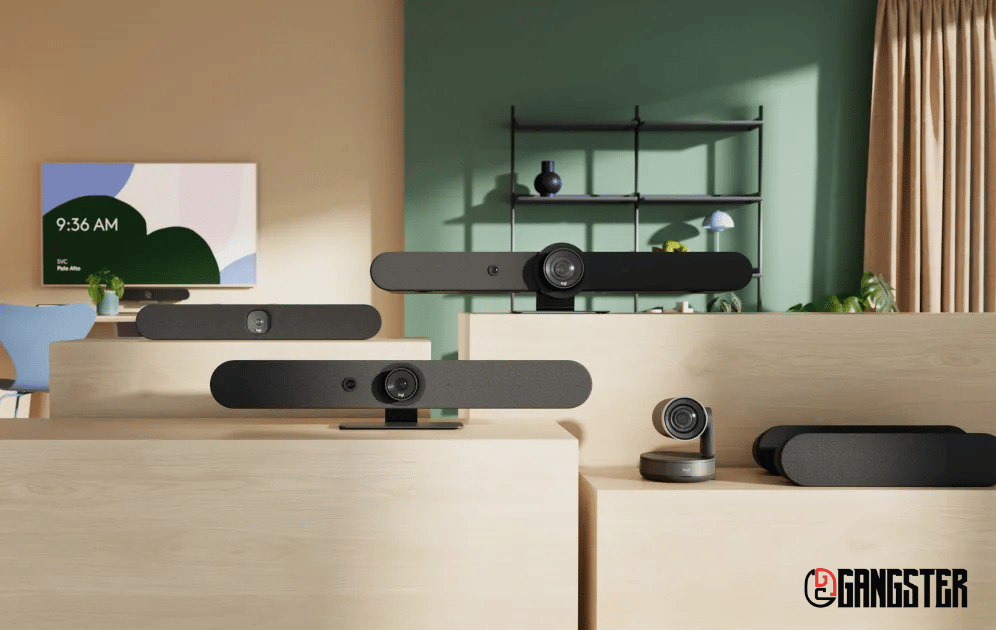
Logitech Rally Family คือโซลูชันวิดีโอคอนเฟอเรนซ์ระดับองค์กรที่ออกแบบมาให้รองรับห้องประชุมทุกขนาด ตั้งแต่ห้องประชุมเล็กไปจนถึงห้องประชุมใหญ่ ด้วยคุณภาพเสียงและภาพระดับพรีเมียม
👉 นี่คือเหตุผลที่องค์กรระดับโลกเลือกใช้
Logitech Rally Family
ระบบ Video Conference แบบครบวงจร
ที่ออกแบบให้ “ใช้ได้กับทุกห้องประชุม” ตั้งแต่เล็ก → ใหญ่มาก
🔥 Logitech Rally Family คืออะไร?
Logitech Rally Family คือชุดอุปกรณ์ Video Conference ระดับองค์กร
ที่ครอบคลุมทุกรูปแบบการใช้งาน:
-
ห้องเล็ก → Rally Bar Mini
Logitech Rally Family
-
ห้องกลาง → Rally Bar
Logitech Rally Family
-
ห้องใหญ่ → Rally Plus
Logitech Rally Family
✔ ติดตั้งง่าย
✔ ใช้งานได้หลายแพลตฟอร์ม
✔ รองรับ Hybrid Work เต็มรูปแบบ
Logitech Rally Family
🚀 จุดเด่นที่องค์กรเลือกใช้ Logitech Rally Family
🎯 1. ระบบ All-in-One ใช้งานง่าย Logitech Rally Family
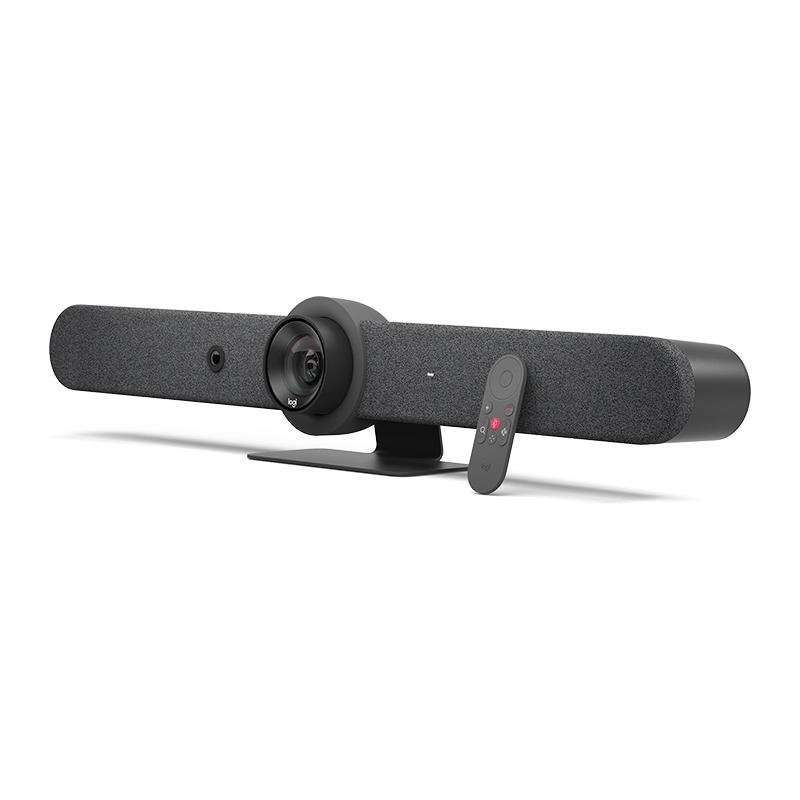
✔ กล้อง + ไมค์ + ลำโพง อยู่ในตัวเดียว
✔ Plug & Play ใช้งานได้ทันที
👉 ลดสาย / ลดความซับซ้อน
🧠 2. AI Camera อัจฉริยะ Logitech Rally Family
✔ Auto framing จับภาพคนพูด
✔ ปรับมุมกล้องอัตโนมัติ
👉 ทุกคนในห้อง “อยู่ในเฟรม” เสมอ
🔊 3. เสียงระดับองค์กร (Enterprise Audio)
✔ Beamforming Mic
✔ ตัด Noise อัตโนมัติ
👉 เสียงชัดแม้ห้องใหญ่
🌐 4. รองรับทุก Platform
✔ Microsoft Teams
✔ Zoom
✔ Google Meet
👉 ใช้ระบบเดิมได้ทันที
☁️ 5. Remote Management (Logitech Sync)
✔ ดูสถานะอุปกรณ์
✔ Update / Config จากศูนย์กลาง
👉 เหมาะกับองค์กรหลายสาขา
🏢 รุ่นใน Logitech Rally Family
🔹 Rally Bar Mini (ห้องเล็ก–กลาง)
ดูราคา: Logitech Rally Bar Mini ราคา
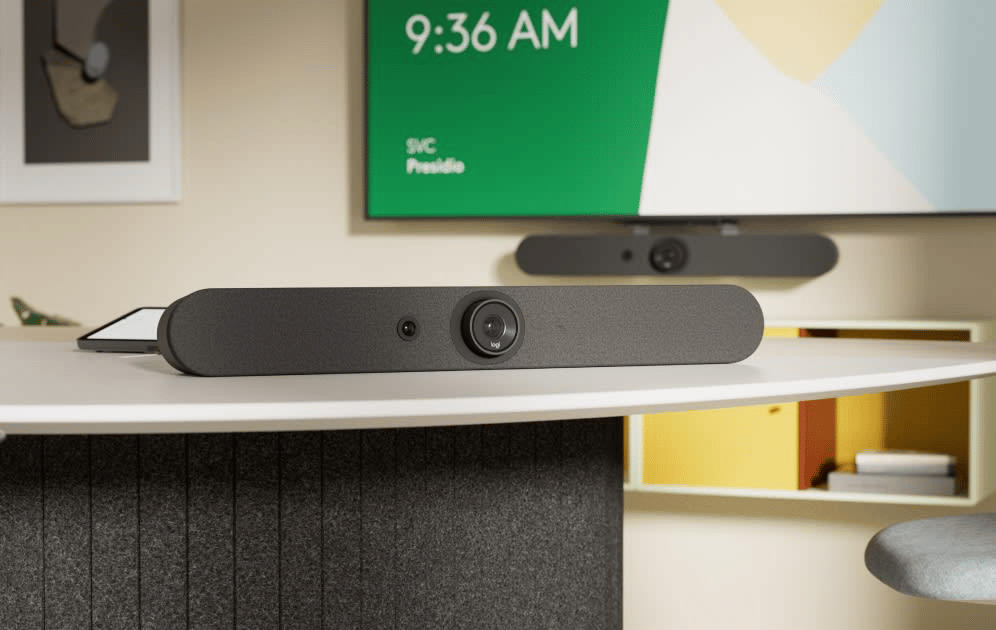
✔ All-in-One
✔ มีไมค์ 6 ตัว + AI Viewfinder
✔ เหมาะกับ huddle room
👉 จบในเครื่องเดียว
🔹 Rally Bar (ห้องกลาง–ใหญ่)
ดูราคา: Logitech Rally Bar ราคา
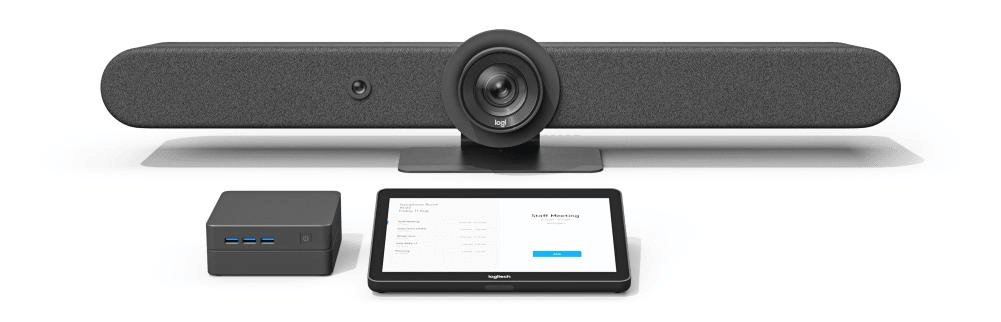
✔ รองรับห้องใหญ่ขึ้น
✔ ซูม + AI tracking
👉 ใช้ใน Boardroom ได้
🔹 Rally Plus (ห้องใหญ่พิเศษ)
ดูราคา: Logitech Rally Plus ราคา
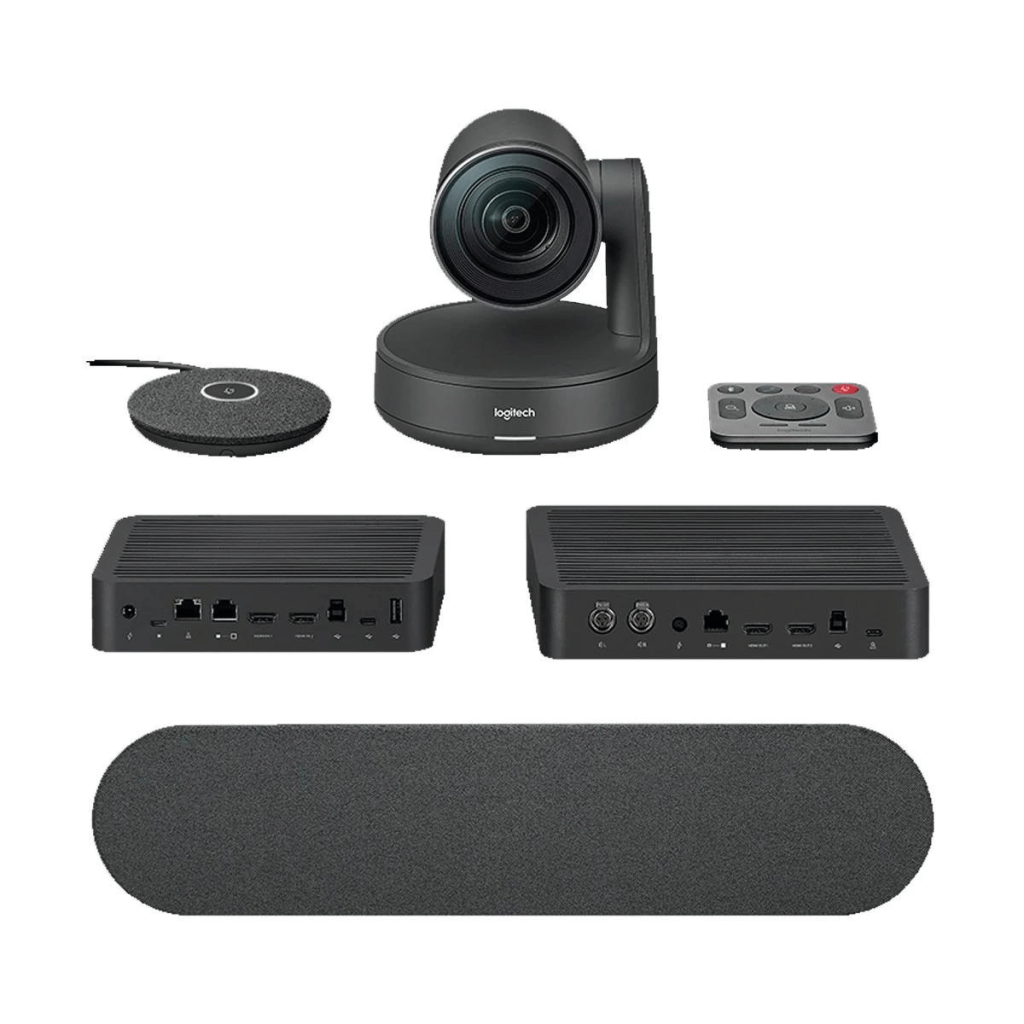
✔ ระบบ Modular
✔ ขยาย Mic ได้หลายจุด
✔ รองรับห้องใหญ่ระดับองค์กร
👉 เสียง + ภาพ ครอบคลุมทั้งห้อง
🧠 Logitech Rally vs ระบบประชุมทั่วไป
| เปรียบเทียบ | Rally Family | ระบบทั่วไป |
|---|---|---|
| ติดตั้ง | Plug & Play | ซับซ้อน |
| คุณภาพภาพ | 4K + AI | ปกติ |
| เสียง | Beamforming | ไมค์ธรรมดา |
| ความเสถียร | สูง | กลาง |
| ภาพลักษณ์ | Premium | ธรรมดา |
🚀 เหมาะกับใคร?
✔ องค์กร / บริษัท
✔ หน่วยงานรัฐ / ห้องประชุมใหญ่
✔ โรงเรียน / Training
✔ ธุรกิจ Hybrid Work
#LogitechRally #RallyBar #VideoConference #ConferenceCamera #MeetingRoomSolution #UnifiedCommunication #UCSystem #VideoConferenceSystem #HybridWork #SmartMeetingRoom #LogitechThailand #ระบบประชุมออนไลน์ #ห้องประชุมอัจฉริยะ #VideoConferenceThailand #SystemIntegrator #ITInfrastructure
Logitech Rally Family เหมาะสำหรับองค์กรที่ต้องการยกระดับประสบการณ์การประชุมทางไกล ด้วยกล้อง AI Viewfinder ที่ปรับมุมมองอัตโนมัติ ลำโพงและไมโครโฟนคุณภาพสูง ช่วยให้ทุกคนในห้องประชุมได้ยินและมองเห็นกันชัดเจน ไม่ว่าจะนั่งอยู่มุมไหนของห้อง
Enterprise video conferencing systems like this are typically deployed alongside room booking software, digital signage for wayfinding, and centralized device management platforms, allowing IT teams to monitor room utilization, firmware updates, and call quality metrics from a single dashboard. Organizations planning a large-scale rollout should evaluate ceiling height, room acoustics, and network bandwidth before finalizing hardware selection for each meeting room.
ดูข้อมูลเพิ่มเติมเกี่ยวกับโซลูชัน Video Conference และ Digital Signage สำหรับองค์กรได้ที่ หน้าแรกของ UC Gangster หรือศึกษาข้อมูลผลิตภัณฑ์อย่างเป็นทางการได้ที่ Logitech Rally Family official page.
When selecting video conferencing hardware for a meeting room, IT decision-makers typically evaluate several factors including camera field of view, microphone pickup range, speaker output quality, ease of integration with existing collaboration platforms such as Microsoft Teams or Zoom Rooms, and long-term reliability under daily heavy usage. A thoughtful deployment plan also accounts for cable management, mounting hardware, network switch capacity, and ongoing firmware maintenance to keep the room running smoothly for years without unexpected downtime during important calls.
Beyond the hardware itself, organizations should consider training staff on basic troubleshooting steps, establishing a support escalation path with the vendor or reseller, and scheduling periodic health checks to catch issues like microphone drift or camera calibration problems before they disrupt an important client meeting or executive briefing.
ต้องการใบเสนอราคาหรือคำแนะนำเลือกรุ่น?
ปรึกษาฟรี ตอบกลับไว ทีมงาน UC Gangster ตัวแทนจำหน่ายอย่างเป็นทางการ
แอดไลน์ @ucgangsterโทร 02-026-6220