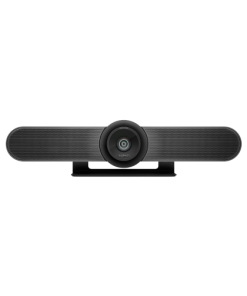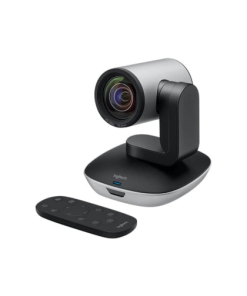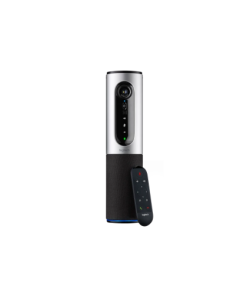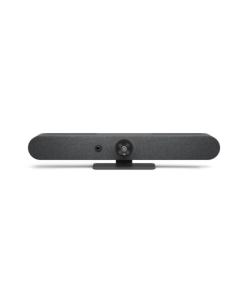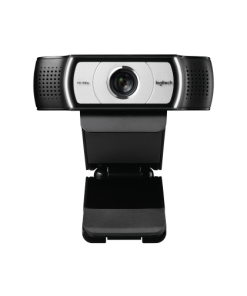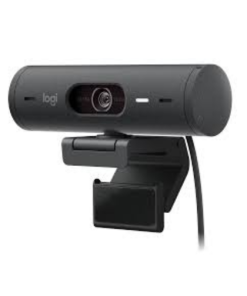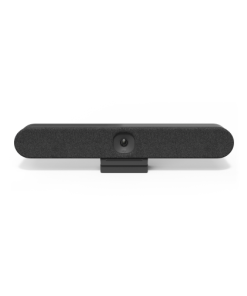
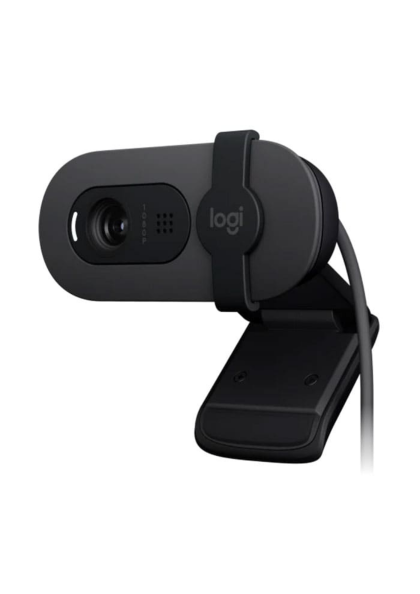
Logitech Brio 105 คือเว็บแคมความละเอียดสูงจาก Logitech เหมาะสำหรับการประชุมออนไลน์และ Work from Home ให้ภาพคมชัด ติดตั้งง่าย ใช้งานสะดวก
Logitech Brio 105 – Business Webcam Full HD สำหรับประชุมออนไลน์ยุค Hybrid Work
Logitech Brio 105 รายละเอียดสินค้า
Logitech Brio 105 คือ Business Webcam รุ่นใหม่จาก Logitech ที่ออกแบบมาสำหรับการประชุมออนไลน์และ Hybrid Work โดยเฉพาะ ให้ภาพคมชัด ใช้งานง่าย และคุ้มค่าสำหรับองค์กรยุคใหม่
Logitech Brio 105 รองรับ Zoom / Microsoft Teams / Google Meet / Cisco Webex ได้ทันที
-
Logitech Brio 105 ความละเอียด Full HD 1080p @30fps
-
Logitech Brio 105 มุมมองภาพ 58° เหมาะสำหรับประชุมส่วนตัว
-
Logitech Brio 105 RightLight 2 ปรับแสงอัตโนมัติแม้ในที่แสงน้อย
-
Logitech Brio 105 ไมค์ Omnidirectional ในตัว เสียงชัดสำหรับการประชุม
-
Integrated Privacy Shutter เพิ่มความเป็นส่วนตัว
-
USB Plug & Play ใช้งานง่ายทันที
-
รองรับ Windows / macOS / ChromeOS
-
รองรับ Logitech Sync และ Logi Tune
เหมาะสำหรับ Work from Home, Online Meeting และองค์กรที่ต้องการเว็บแคมระดับ Business Class ราคาคุ้มค่า
จุดเด่น
ภาพ Full HD คมชัดระดับธุรกิจ
RightLight 2 ช่วยภาพสวยแม้แสงน้อย
มี Privacy Shutter เพิ่มความปลอดภัย
ไมค์ในตัว ใช้งานง่าย
รองรับ Zoom / Teams / Meet
Plug & Play ไม่ต้องติดตั้งยุ่งยาก
เหมาะกับ Hybrid Work และ Work from Home
เหมาะกับใคร?
-
Work from Home
-
Online Meeting / Video Conference
-
พนักงานองค์กร / ฝ่ายขาย / Customer Support
-
ผู้เริ่มต้นใช้งาน Video Conference
-
องค์กรที่ต้องการ Webcam ราคาคุ้มค่า
#LogitechBrio105 #BusinessWebcam #Webcam1080p #VideoConference #ZoomMeeting #MicrosoftTeams #GoogleMeet #ConferenceCamera #WebcamLogitech #WorkFromHome #เว็บแคมประชุมออนไลน์ #กล้องเว็บแคม #ประชุมออนไลน์ #VideoMeeting #HybridWork #Logitech
สรุปแล้วเหมาะกับใครบ้าง
Logitech Brio 105 เหมาะสำหรับพนักงานที่ทำงานแบบ Hybrid หรือ Work from Home ที่ต้องการเว็บแคมคุณภาพดีในราคาที่คุ้มค่า. Additionally, remote workers upgrading their home office setup often look for webcams that deliver clear video without requiring complex software configuration. However, lighting conditions in a home office can significantly affect video quality regardless of camera resolution. Therefore, many users pair a good webcam with proper desk lighting for the best results. For example, a well-lit room with a webcam positioned at eye level produces the most professional appearance on video calls. As a result, employees present themselves more clearly and confidently during virtual meetings. Similarly, businesses equipping remote teams with quality webcams help maintain a consistent, professional image across the whole organization.
สนใจ Logitech Brio 105 หรือเว็บแคมรุ่นอื่นๆ ติดต่อทีมงาน UC Gangster เพื่อขอคำปรึกษาและใบเสนอราคา ดูข้อมูลเพิ่มเติมเกี่ยวกับมาตรฐานการสื่อสารได้ที่ Gartner UC Glossary
Choosing a webcam for remote work involves considering resolution, field of view, and low-light performance since home offices often lack professional studio lighting. Many companies equipping distributed teams also look at plug-and-play compatibility with common video conferencing platforms to avoid additional software installation.
Many households now have multiple family members working or studying from home simultaneously, which increases demand for affordable, reliable webcams across every room. Battery-free plug-and-play design also means no additional charging routine to manage during busy workdays.
ดูสินค้า Logitech ทุกรุ่นเพิ่มเติมได้ที่ หน้าแบรนด์ Logitech